
When configuring the LCN, (Logical Channel Number), on a TDmH or TDcH, please consider the following:
LCN:
Under the LCN tab it is possible to set the Network Settings parameters and allocate the LCN (Local Channel Number) numbers.
Assign LCN numbers to desired services. LCN, (or HD-LCN), numbers in the range 0 - 1023.

The LCN numbers can be allocated for the RF outputs (QAM and COFDM) on the left side and for IPTV services, (IP Out), on the right hand side.
Always ensure that the network setting matches the receivers, (TV set, STB, etc.). See "Network Settings".
LCN auto arrange:
When inserting an existing number, the number automatically increases for that number and all higher values.
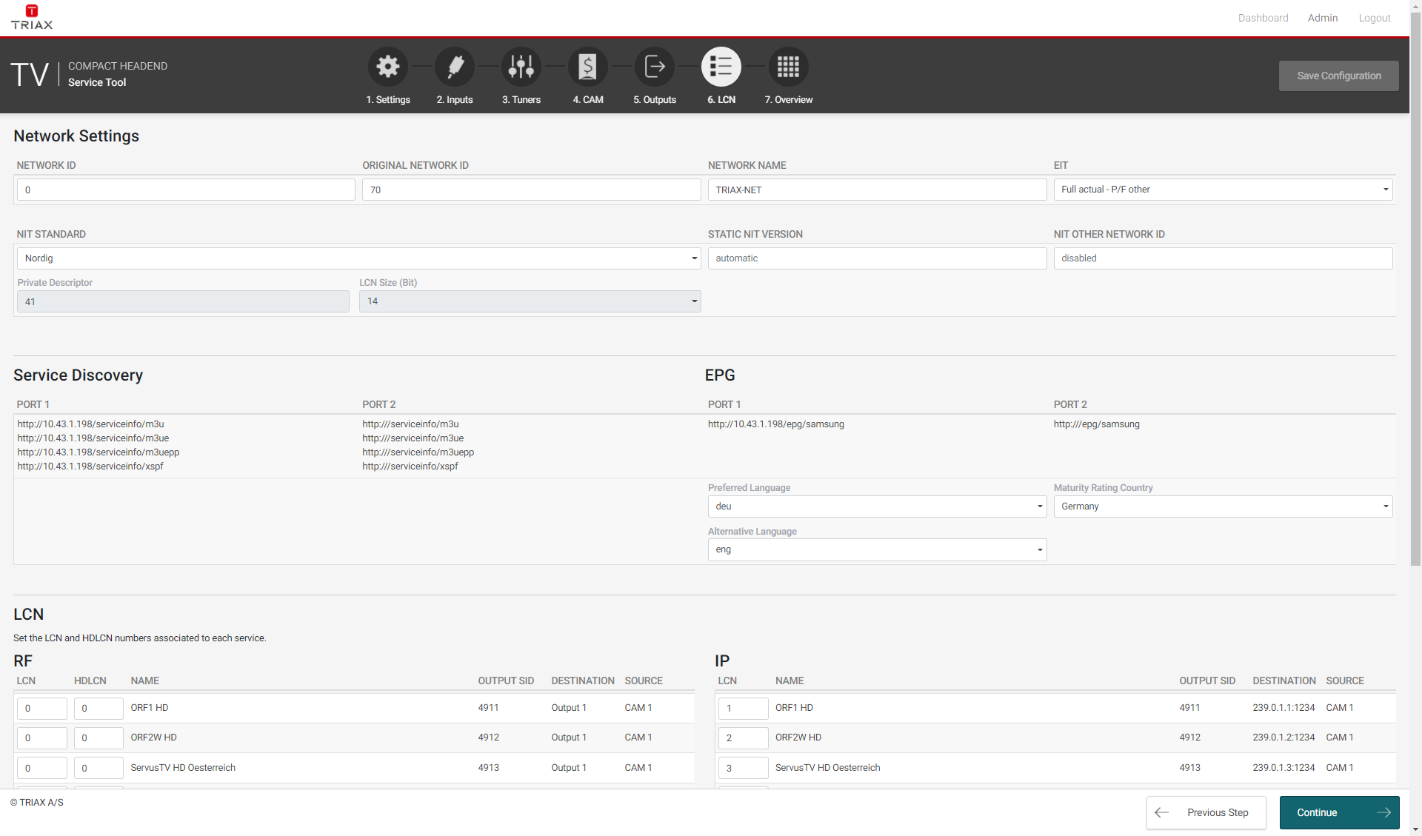
Network Settings, (section 5.22.1 in User Manual Ver 1.15):
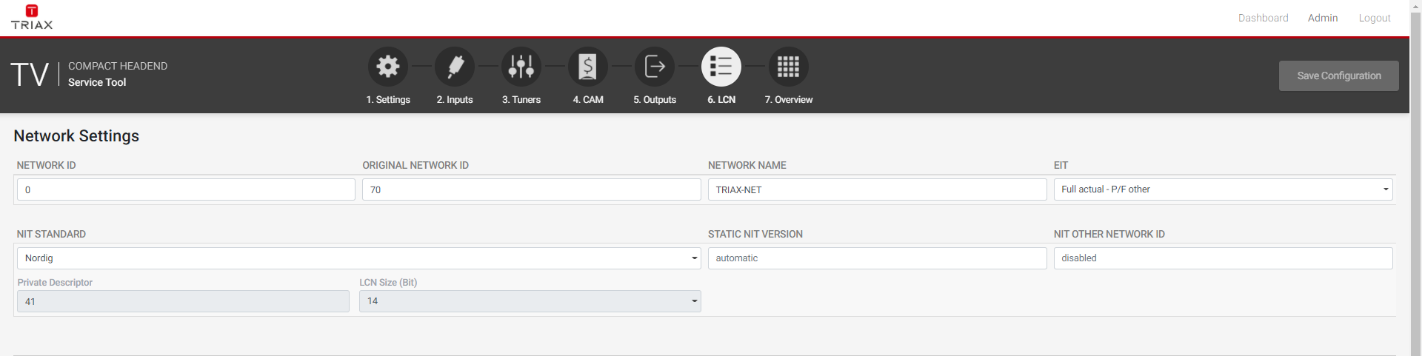
Network ID:
Enter the required network ID in the Network ID field. The Network ID is also known as the abbreviation “NID”. If it is an open network, the NID must follow the “ETSI TR 101 211” guidelines. If it a closed network you can determine the ID yourself.
The NID is normally more flexible than the more important Original Network ID. Thus this ID can normally be set with more freedom in respect to receivers like TV set, STB, etc. However, this still dependent on the individual receivers.
ORIGINAL NETWORK ID:
Enter the required original network ID in the Original Network ID field. The Original Network ID is also known as the abbreviation “ONID”.
If COFDM is chosen for Output Modulation, then the ONID is very important for LCN. The ONID should reflect the country set at the receivers (TV set, STB, etc.). If the ONID does not match the country set for the receivers, then the receivers will not use the configured LCN. It is also important to note that all the receivers must be configured with the chosen country to match, otherwise the receivers will not use the LCN.
NETWORK NAME
Enter a network name in the Network name field. The maximum number of characters you can enter in the field is
255.
NOTE:
Please ensure that all other essential parameters, (such as country settings etc), are also configured to meet your requirements.